Guide to Adding Mendeley Cite in Microsoft Word
With Mendeley Cite, you can manage citations and references directly in Microsoft Word without any hassle. Here's how to install it:
1. Open the Word application on your computer
Ensure Microsoft Word is installed, then launch the application.

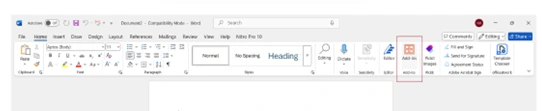
2. Go to the Add-ins Menu
Access tab “Add-ins” from the main menu, or use the search feature in Word to find it.
3. Find and Add Mendeley Cite
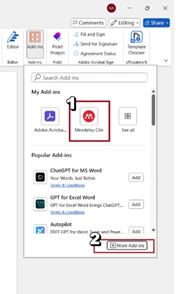
Type “Mendeley Cite” in the Add-ins search bar, then click the button ‘Add’ to insert an add-in into Word.
4. Activate and Start Using
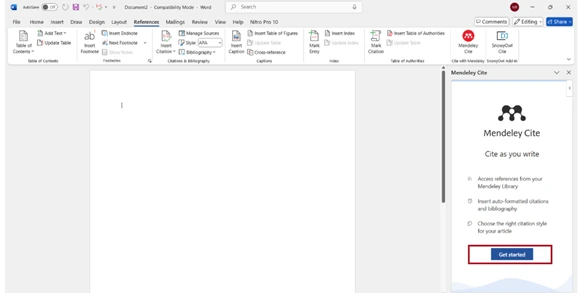
After successfully adding it, open Mendeley Cite and select the option ‘Get Started’.
5. Log in with Institutional Account
Log in using your Telkom University Single Sign-On (SSO) account — for students, use your email ending in @student.telkomuniversity.ac.id, while lecturers/employees use @telkomuniversity.ac.id.
If not yet registered, select ‘Sign in through your organization’ To create an account.

6. Verify Email
If you have just registered, the system will send a verification email to your institutional account.

7. Open Email via Outlook
Access the verification message via Microsoft Outlook to complete account activation.
If there are any issues, please contact us at WhatsApp follows 0813-1980-0200 and email [email protected]
Hello Harmony, Excellence, Integrity
Information Technology Support